Manage your S3 files like local ones
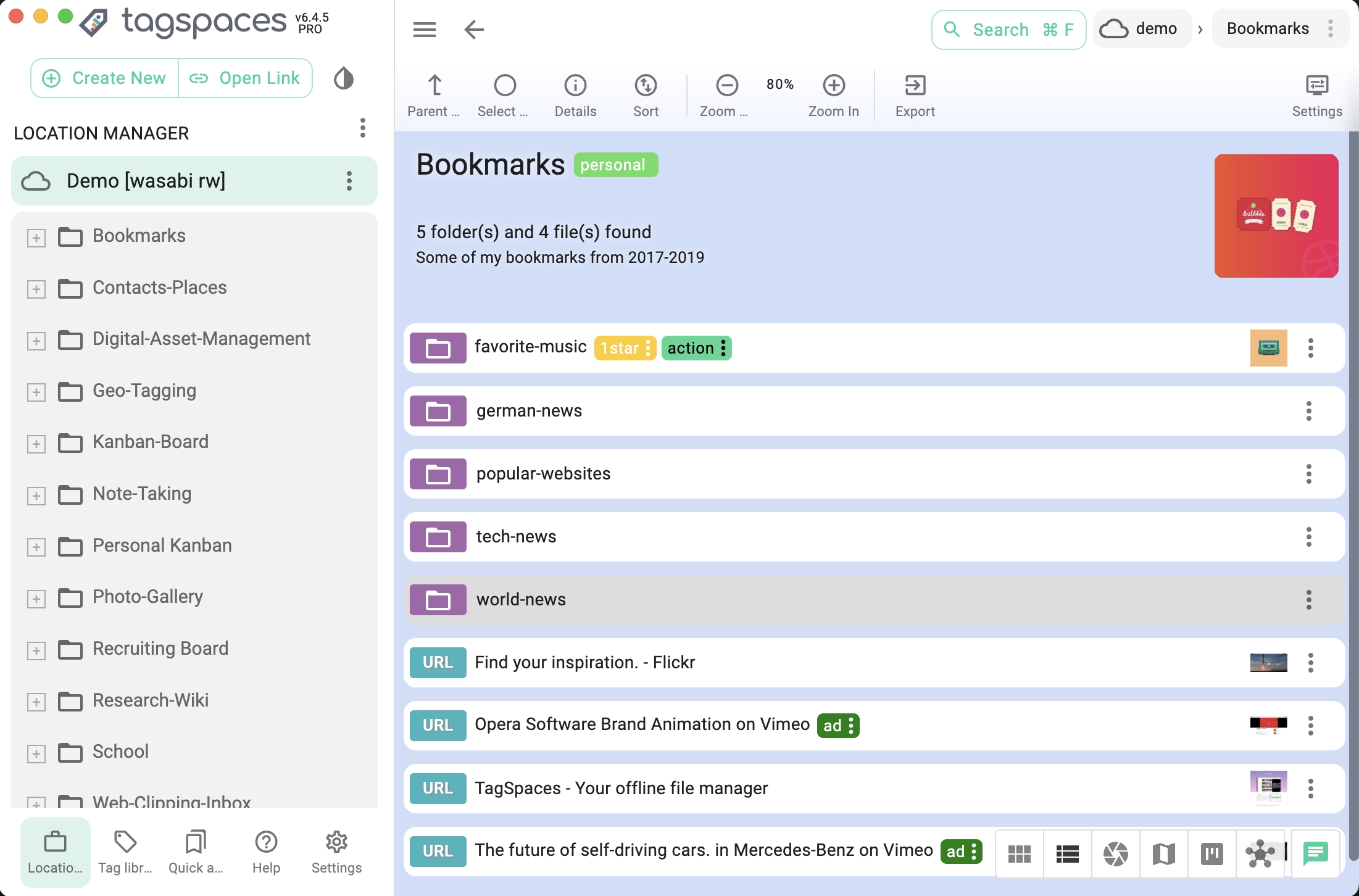
TagSpaces turns AWS S3, Wasabi, Cloudflare R2, and any S3-compatible storage into a visual file manager — with previews, tagging, and editing built in. No CLI required.
Desktop app or self-hosted web version · Works with any S3-compatible storage
Why TagSpaces for S3?
Traditional S3 clients (AWS CLI, Cyberduck, CloudBerry) are built for sysadmins. TagSpaces makes S3 feel like Dropbox — visual, taggable, and usable by everyone.
Preview everything
Images, PDFs, videos, audio, spreadsheets, Markdown, HTML — all render inline. No downloading, no external apps.
Tag & organize
Add color-coded tags to S3 files. Search by name, tag, type, or date. Bring local-style organization to your cloud storage.
Edit in place
Create and edit Markdown, HTML, and plain text files directly in S3. Take notes, update docs, manage bookmarks — right in the bucket.
No credentials exposed
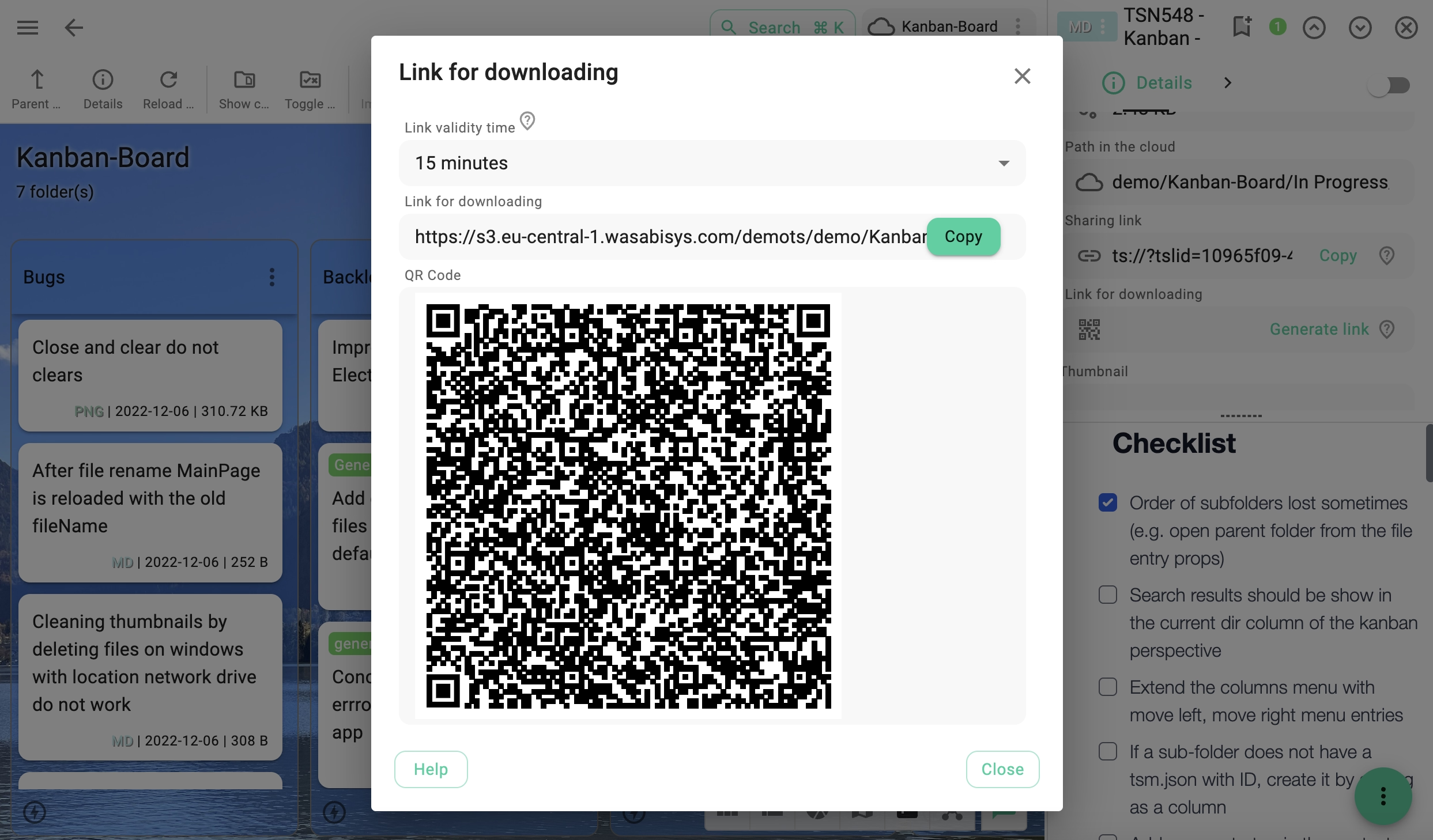
Generate time-limited sharing links instead of handing out access keys. Files stay secure, recipients get temporary access.
Visual perspectives
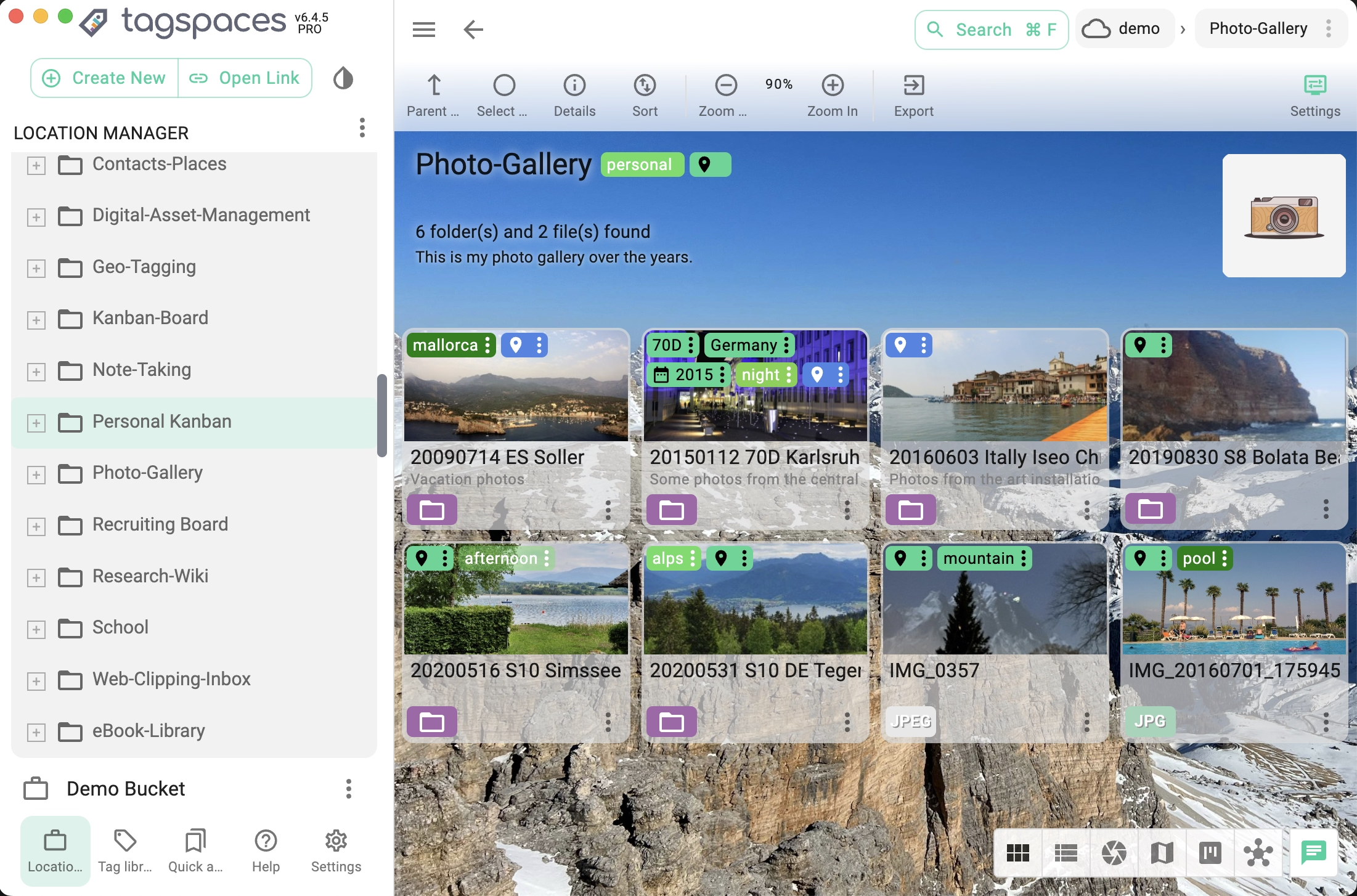
View folders as grids, galleries, kanban boards, calendars, or maps — depending on the content. One click to switch.
Self-hostable
Run TagSpaces Pro Web on your own server. Connect to S3 from any browser — phone, tablet, or desktop. No app to install.
Key capabilities
Visual S3 File Browser
- Browse buckets in a familiar folder-based interface
- Preview images, documents, audio, and video directly in-app
- Tag, rename, annotate, or delete files inline
- Upload and download files with drag-and-drop
Secure File Sharing
Works with any S3-compatible storage
DigitalOcean Spaces
S3-compatible object storage in the cloud.
Backblaze B2
Affordable cloud storage with S3-compatible API.
Get connected in 3 steps
1. Install TagSpaces
Download the free desktop app or deploy the self-hosted web version on your server or NAS.
Learn more2. Add your S3 location
Enter your endpoint, bucket name, access key, and secret. TagSpaces connects and lists your files instantly.
Learn more3. Start managing
Browse, preview, tag, edit, and share — just like working with local files. All changes sync directly to S3.
Open source & privacy-first
TagSpaces has no backend servers, no user tracking, and no analytics. Your S3 credentials stay on your device — they are never sent to us. The core is open source under AGPL-3.0 and auditable on GitHub.