Changes in TagSpaces 6.10

TagSpaces 6.10: Better Workflows, More Languages, and Fewer Rough Edges
The 6.10 release cycle focuses on making everyday workflows smoother. It brings improvements to the Pro perspectives, makes Markdown documents more interconnected, adds new translations, and addresses a long list of smaller issues reported by the community. Here is a walkthrough of what is new.
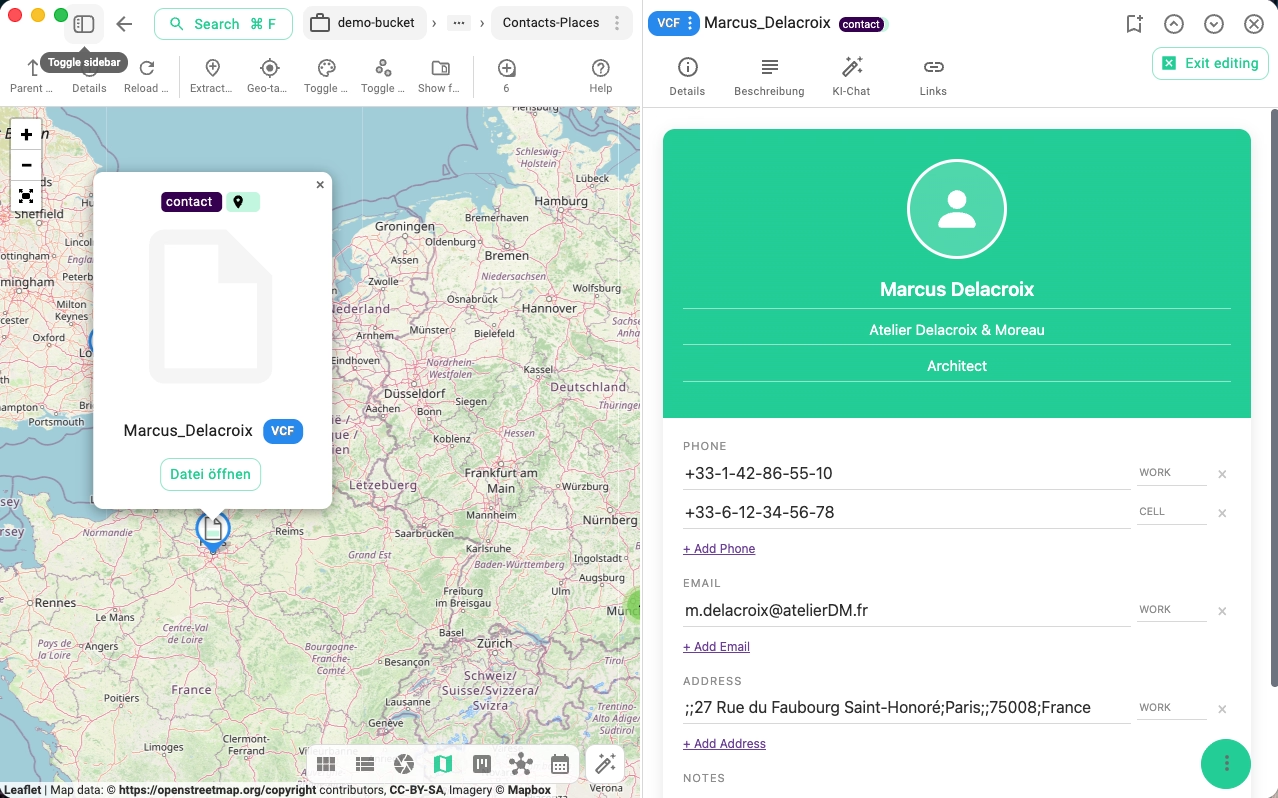
Editing Contacts in Pro Extensions
Following the introduction of the VCF contact viewer in 6.9, this release adds editing capability for contacts. You can now modify contact fields — name, phone, email, and other vCard properties — directly within TagSpaces, without needing to open an external application.Combined with TagSpaces' tagging and search capabilities, this turns the app into a capable no-cloud, offline-first contact manager. Store each contact as a standard .vcf file in a folder on your device or a self-hosted S3 location. Tag contacts by category, project, or relationship — client, supplier, colleague — and find anyone in seconds with full-text search. Since contacts are plain VCF files, they are portable to any address book application and will never be locked into a proprietary database or held hostage by a subscription service.
File Selection in the Gallery Perspective
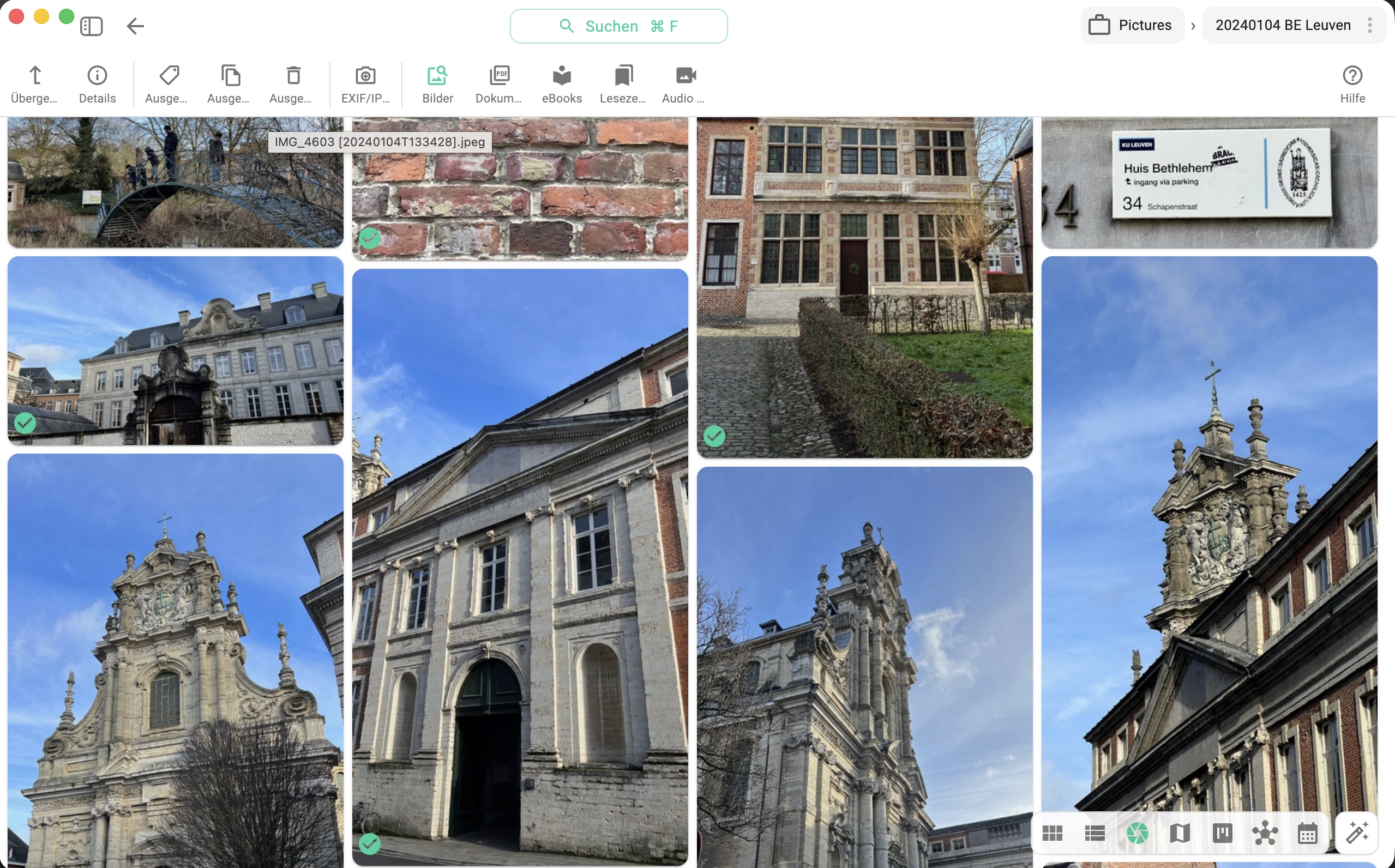
The Gallery perspective now supports multi-file selection. You can select individual files by clicking their checkboxes, or use standard keyboard shortcuts to select a range. Selected files can then be tagged, moved, or deleted in bulk.For photographers and designers managing large visual libraries, this closes a significant workflow gap — you no longer need to switch to a list view to act on multiple files at once.
Calendar Perspective Improvements
The Calendar perspective received a round of refinements in this release. Several edge cases in how events and file dates are rendered have been corrected, and the overall responsiveness of the view has been improved. If you use the Calendar to navigate files by date — especially useful for journals, research logs, or project archives — this update makes the experience more reliable.Rename Option in the Entry Context Menu
A small addition that saves multiple clicks: a Rename entry is now available directly in the context menu when you right-click on a file or folder. Previously, renaming required navigating to the properties panel. This brings the rename action in line with what most users expect from a file manager.
Tag Icons in Search Autocomplete
The search autocomplete now shows tag icons alongside tag names as you type. This makes it significantly faster to identify the right tag when your library uses many similar names — the color and icon give you a visual cue before you finish typing.
New Languages: Polish and Danish
TagSpaces is now fully translated into Polish and Danish, in addition to the existing language support. The app is also fully up to date in all previously supported languages, closing gaps that had accumulated in recent releases.
If you would like to help translate TagSpaces into your language or improve an existing translation, contributions are welcome here.
Media Player Volume Persistence
A persistent minor annoyance is now fixed: the media player volume is saved between files. If you adjusted the volume while playing one file, it would silently reset to default the next time you opened a different file. Now your preferred volume setting is remembered and restored each time.
Internal Links in Markdown Documents
Anchor links within a Markdown file now work correctly in the preview. If your document has multiple sections, you can link to any heading using the standard #heading-name syntax — for example [See also](#installation) — and clicking it will jump directly to that section.
This is particularly useful for longer notes, runbooks, or reference documents where a table of contents at the top links to sections further down the page.
External App Configuration via extconfig.json
For teams and organizations deploying TagSpaces in managed environments, this release adds official support for extconfig.json on both the desktop and web editions. This allows administrators to pre-configure TagSpaces settings — default locations, UI options, feature flags — without modifying the app itself.
Full documentation is available at docs.tagspaces.org/dev/external-config.
Notable Fixes
Beyond the features above, this release addresses a number of issues that were affecting reliability:
- Fixed the default perspective not always loading — for some folder the default perspective would fail to load and fall back to the previous perspective.
- Fixed date extraction from file tags (#2414)
- Fixed meta file handling on read-only S3 locations — TagSpaces was attempting to write meta files even when the location was configured as read-only
- Fixed folder background images not applying correctly (#2417)
- Fixed the sort order being lost after folder reload — files would revert to the default sort even after you had selected a custom one
- Fixed tag colors for newly selected tags in the tag selector
- Fixed link opening in both the web versions
- pro Fixed Kanban board thumbnails not loading for S3-based locations
- Various Windows-specific fixes and stability improvements
How to Update
The new version is available from the downloads page. The PRO user should following the instructions in the update documentation to update their existing installation without losing data.
As always, if you run into anything unexpected, please open an issue on GitHub or reach out via the community forum. Your reports directly shape what gets fixed next.