TagSpaces vs. Evernote, Notion, Joplin, and Obsidian: Which Note-Taking and File Management Tool Is Right for You?

The personal knowledge management space is crowded. Whether you're organizing research, managing projects, or simply trying to keep your digital life under control, the tool you pick shapes your entire workflow.
In this article we compare five popular options — TagSpaces, Evernote, Notion, Joplin, and Obsidian — across the dimensions that matter most: privacy, pricing, data ownership, collaboration, and extensibility. Our goal is to give you an honest, balanced overview, not a sales pitch.
Quick Overview
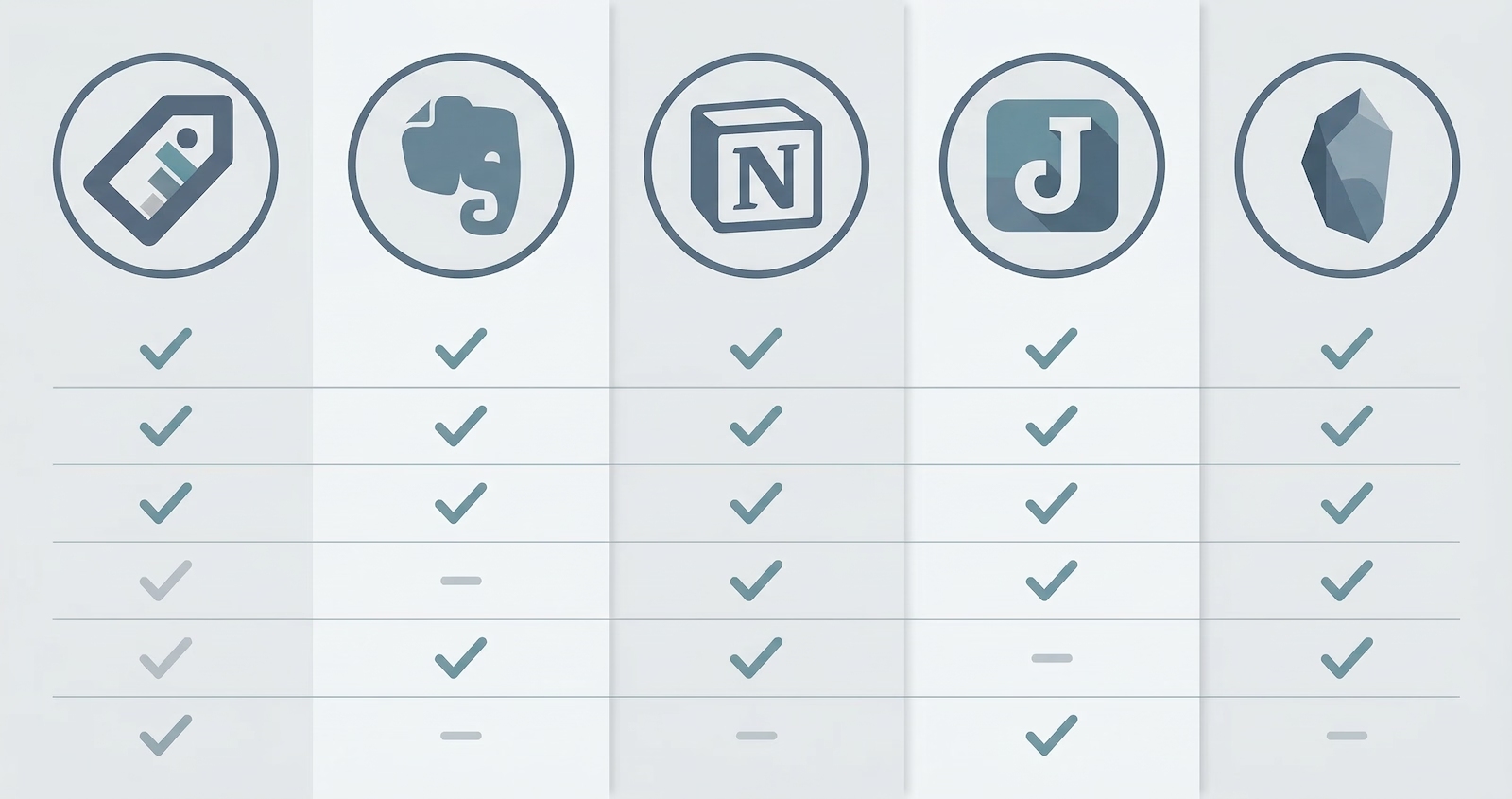
| TagSpaces | Evernote | Notion | Joplin | Obsidian | |
|---|---|---|---|---|---|
| Primary focus | File-based workspace | Note-taking | All-in-one workspace | Note-taking | Note-taking / PKM |
| Open source | ✅ (Lite) | ❌ | ❌ | ✅ | ❌ |
| Works offline | ✅ | Partial | Partial | ✅ | ✅ |
| Data stored locally | ✅ | ❌ | ❌ | ✅ | ✅ |
| Cloud sync | Optional (S3) | ✅ (proprietary) | ✅ (proprietary) | Optional (E2E) | Optional (paid) |
| Open file format | Markdown / Text files | Proprietary | Proprietary | Markdown | Markdown |
| Collaboration | Limited | ✅ | ✅ | Limited | Limited |
| Free tier | ✅ | Very limited | ✅ | ✅ | ✅ |
| Web clipper | ✅ | ✅ | ✅ | ✅ | ✅ |
| Mobile | ✅ | ✅ | ✅ | ✅ | ✅ |
TagSpaces
TagSpaces takes a fundamentally different approach to personal organization. Rather than creating its own database or proprietary format, it works with your existing files and folders — adding tags, descriptions, and annotations stored directly alongside the files themselves, without locking your data into any cloud service.
Advantages
- True data ownership. Your files stay where you put them — local disk, NAS, or S3-compatible storage. No vendor lock-in.
- Works with any file type. Tag, preview, and annotate PDFs, images, source code, audio, video, and more — not just notes.
- Privacy by default. The application requires no account. Your data never leaves your machine.
- Open source core. The Lite edition is licensed under AGPL-3.0 and auditable by anyone.
- Kanban, map, and calendar perspectives. Beyond a file list, TagSpaces Pro offers visual views that turn folders into interactive boards, timelines, and maps.
- Self-hostable web version. TagSpaces Pro Web runs in any browser from your own server or NAS.
- AI features. Local AI integration via Ollama enables private on-device content extraction, tagging suggestions, and summarization.
- Web clipper. A web clipper creating plain files, usable not only in TagSpaces.
Disadvantages
- No real-time collaboration. Sharing files is possible via S3, but live co-editing is not supported.
- Steeper initial concept. The tagging-over-files model is unfamiliar to users coming from database-centric tools.
- Smaller ecosystem. Community and third-party integrations are limited compared to Notion or Evernote.
Evernote
Once the dominant force in note-taking, Evernote has undergone significant changes in recent years including ownership changes and pricing adjustments. It remains a capable, cloud-centric tool with a long history.
Advantages
- Polished, mature experience. Years of refinement have produced a smooth, feature-rich note editor.
- Web clipper. Evernote's browser extension for saving web pages is one of the best in the category.
- Powerful search. Full-text search across notes and scanned documents (OCR) is a long-standing strength.
- Integrations. Connects with Google Drive, Slack, Microsoft Teams, and more.
Disadvantages
- Data lives in the cloud. All content is stored on Evernote's servers. There is no fully local option.
- Pricing. The free tier has become very restrictive (one device, upload limits). Full functionality requires a paid subscription.
- Proprietary format. Exporting notes is possible but moving to another tool is cumbersome.
- Privacy concerns. As with any cloud-first service, users must trust the provider with their data.
- Narrower scope. Evernote is designed for notes and clippings — not for managing your entire file system.
Notion
Notion has become synonymous with the "all-in-one workspace" category — combining notes, databases, wikis, kanban boards, and project management into a single flexible surface.
Advantages
- Extremely flexible. Pages can be plain documents, databases, kanban boards, calendars, or galleries, all within the same tool.
- Collaboration. Real-time co-editing and commenting make it well suited for teams.
- Large ecosystem. A rich template library and active community lower the barrier to getting started.
- Generous free tier. Individuals can use most features for free.
- AI features. Notion AI assists with writing, summarization, and Q&A over your workspace.
Disadvantages
- Cloud only. Your data lives on Notion's servers. Offline access exists but is limited and occasionally unreliable.
- Not open source. The codebase is proprietary and the API is the only external interface.
- Performance. Complex databases with many items can feel sluggish, particularly on the web.
- Data portability concerns. Exporting a large Notion workspace to a usable format (Markdown, CSV) is imperfect and time-consuming.
- Overkill for personal use. The flexibility is a strength for teams but can feel overwhelming for individuals who just want to organize files and notes.
Joplin
Joplin is a free, open-source note-taking application that stores everything as Markdown files. It is the go-to choice for users who want a clean Evernote replacement without cloud lock-in.
Advantages
- Fully open source. Licensed under AGPL-3.0; the community is active and the code is auditable.
- End-to-end encrypted sync. Supports Nextcloud, WebDAV, OneDrive, Dropbox, and its own Joplin Cloud — all with E2E encryption.
- Standard file format. Notes are Markdown, which is readable by dozens of other tools.
- Desktop and mobile. Native apps on Windows, macOS, Linux, iOS, and Android.
- Web clipper. A browser extension captures web content cleanly.
- No subscription required. Sync services are optional; a self-hosted WebDAV server works for free.
Disadvantages
- Note-focused only. Joplin organizes notes and notebooks — it does not manage arbitrary file types.
- UI is functional, not beautiful. The interface is utilitarian and has not kept pace with the design polish of commercial alternatives.
- Limited collaboration. Sharing individual notes is supported; team workflows are not a core use case.
- Joplin Cloud is paid. The optional hosted sync service has a cost, though self-hosting is free.
- No visualization. No kanban, calendar, or graph views — it is a linear list of notebooks and notes.
Obsidian
Obsidian has grown rapidly by appealing to the "second brain" and personal knowledge management (PKM) community. Its core idea is a local vault of Markdown files connected by bidirectional links.
Advantages
- Local-first. Your vault is a folder of plain Markdown files on your disk. No account required for the core app.
- Bidirectional links and graph view. Linking notes and visualizing the connections is Obsidian's signature feature.
- Highly extensible. A large plugin ecosystem (community plugins) adds kanban boards, calendars, databases, spaced repetition, and much more.
- Active community. One of the largest and most enthusiastic PKM communities online.
- Works with any sync. Because notes are plain files, you can sync them with iCloud, Dropbox, Git, or any other file sync tool.
Disadvantages
- Not open source. The Obsidian application itself is proprietary, even though the file format is plain Markdown.
- Commercial sync/publish are paid. Obsidian Sync and Obsidian Publish are subscription services.
- Steep learning curve for full power. Getting the most from Obsidian requires investing in a personal system (tags, templates, plugins) that can take weeks to build.
- Note-centric. Like Joplin, it is designed for notes and does not manage general files, images, or documents the way TagSpaces does.
- Mobile experience lags. The mobile apps exist but are less capable than the desktop versions.
How to Choose
Choose TagSpaces if you want to organize your existing files without moving them to a database, value strong privacy, need to tag and preview many file types (not just notes), or want to self-host.
Choose Evernote if you have a long history with the platform, rely heavily on its web clipper and OCR search, and are comfortable with cloud storage.
Choose Notion if you work in a team, need a flexible all-in-one workspace combining notes with databases and project management, and do not require a fully offline or local-first setup.
Choose Joplin if you want a no-nonsense, open-source Evernote replacement with end-to-end encrypted sync and a standard file format, and notes are your primary content type.
Choose Obsidian if you are building a personal knowledge base, enjoy connecting ideas through links, want deep plugin extensibility, and your workflow is note-centric.
Final Thoughts
There is no single best tool — each reflects a different set of priorities. TagSpaces occupies a unique position: it is the only option here that manages your entire file system rather than creating a separate note silo. If your content already lives in folders — as documents, images, PDFs, or code — TagSpaces augments those files without requiring you to move or convert them.
For teams or users who need rich collaboration and polished writing experiences, Notion or Evernote may be more appropriate. For privacy-conscious note-takers, Joplin and Obsidian offer solid local-first alternatives.
The good news is that these tools are not mutually exclusive. Many users run Obsidian or Joplin for their writing alongside TagSpaces for broader file organization — getting the best of both worlds.