TagSpaces 6.7 - New themes and perspective

A Fresh Look, Calendar View, and Major Performance Boosts
We are excited to announce the release of TagSpaces 6.7! This update is packed with visual enhancements, deep system integration features, and significant improvements to our AI capabilities. Whether you are using the free Lite version or the Pro edition, version 6.7 offers a faster, smoother, and more customizable experience.
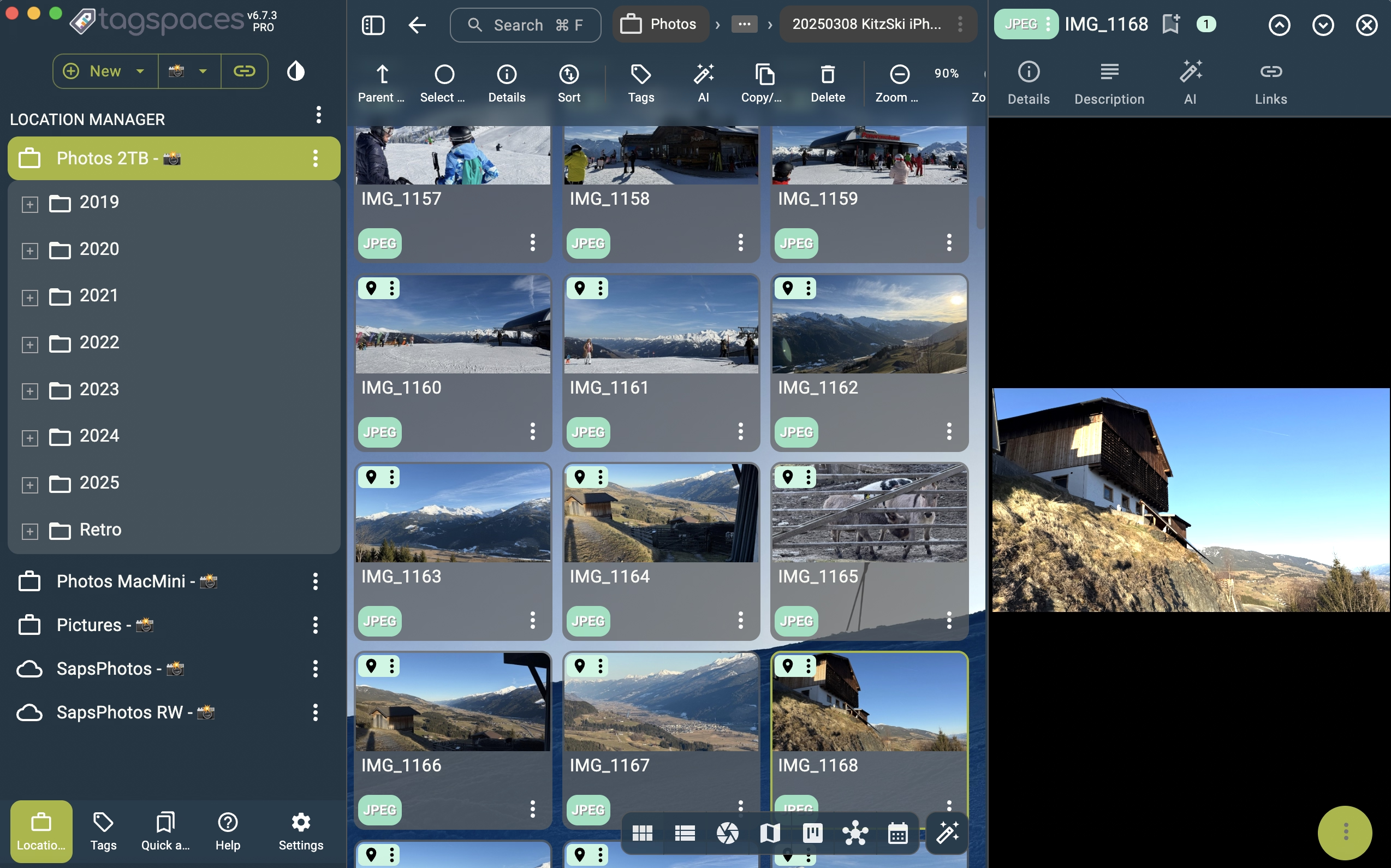
Here is an overview of what’s new in version 6.7 (including updates from 6.7.2 and 6.7.3).
✨ A Fresh Coat of Paint: 7 New Themes
Customization is at the heart of TagSpaces, and with 6.7, we are giving you more ways to make the app your own. We have added 7 brand new user interface themes. Whether you prefer a high-contrast dark mode for reading late at night or a soft, light theme for organization, there is a fresh look waiting for you in the settings.
📅 Calendar Perspective (BETA)
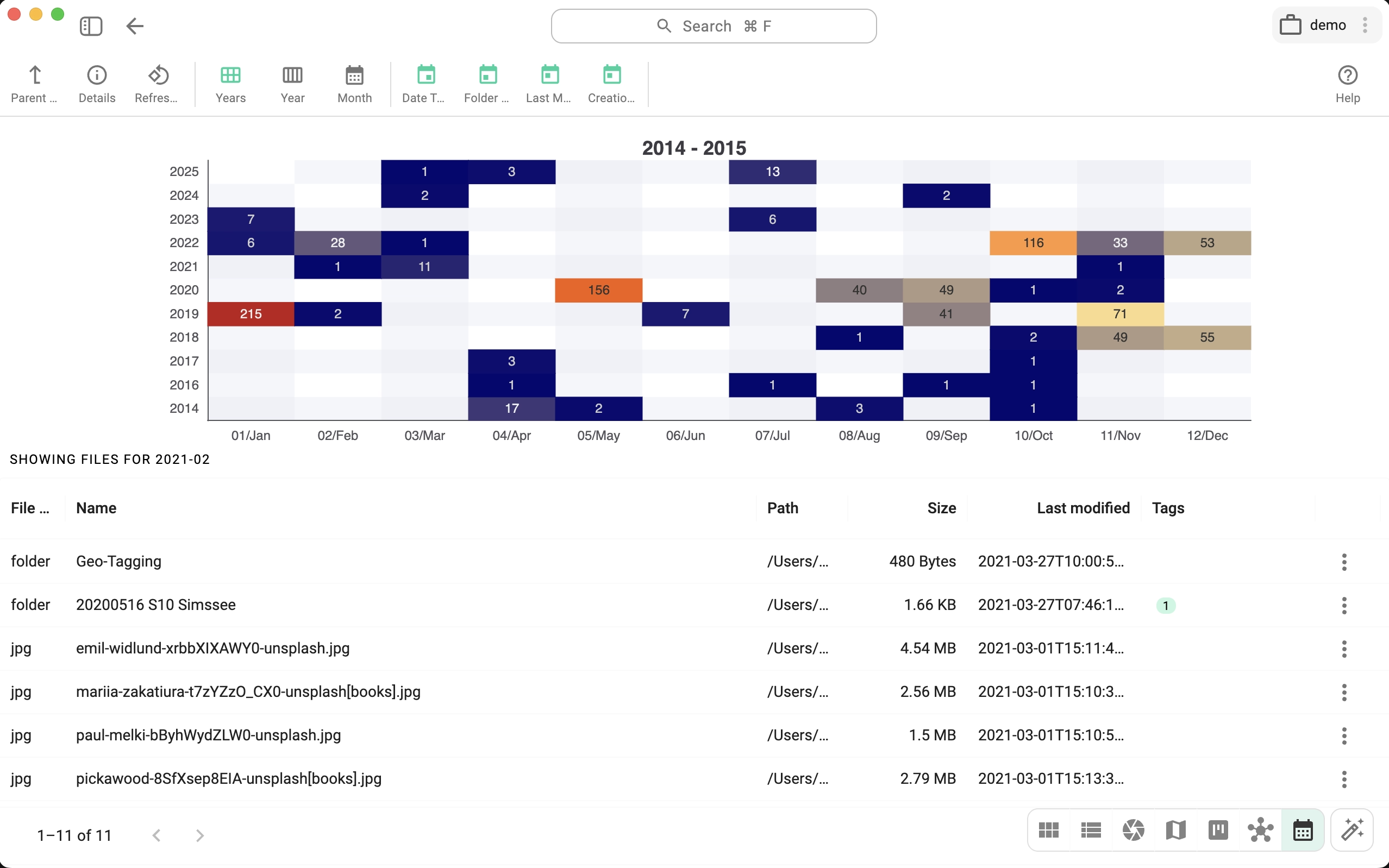
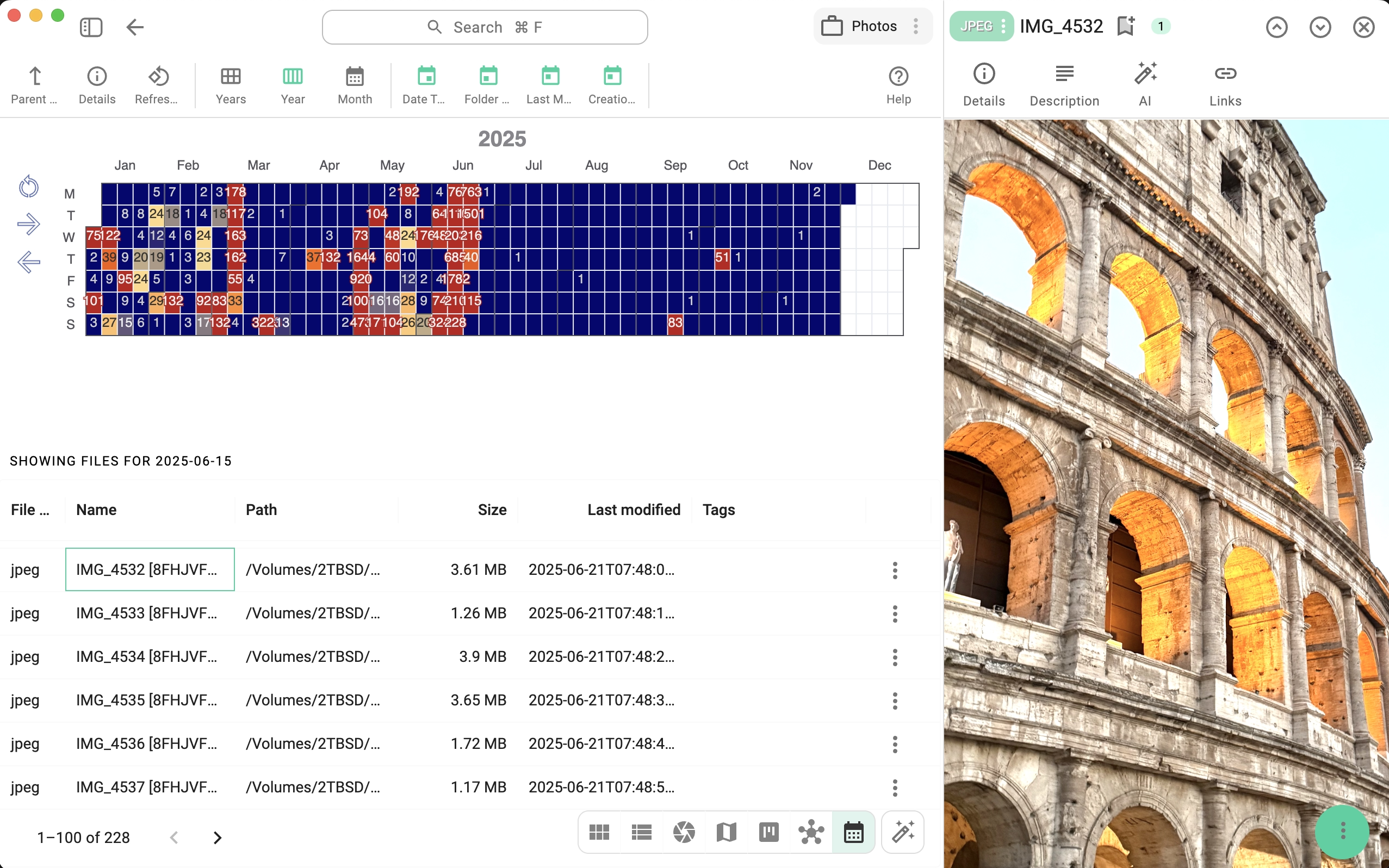
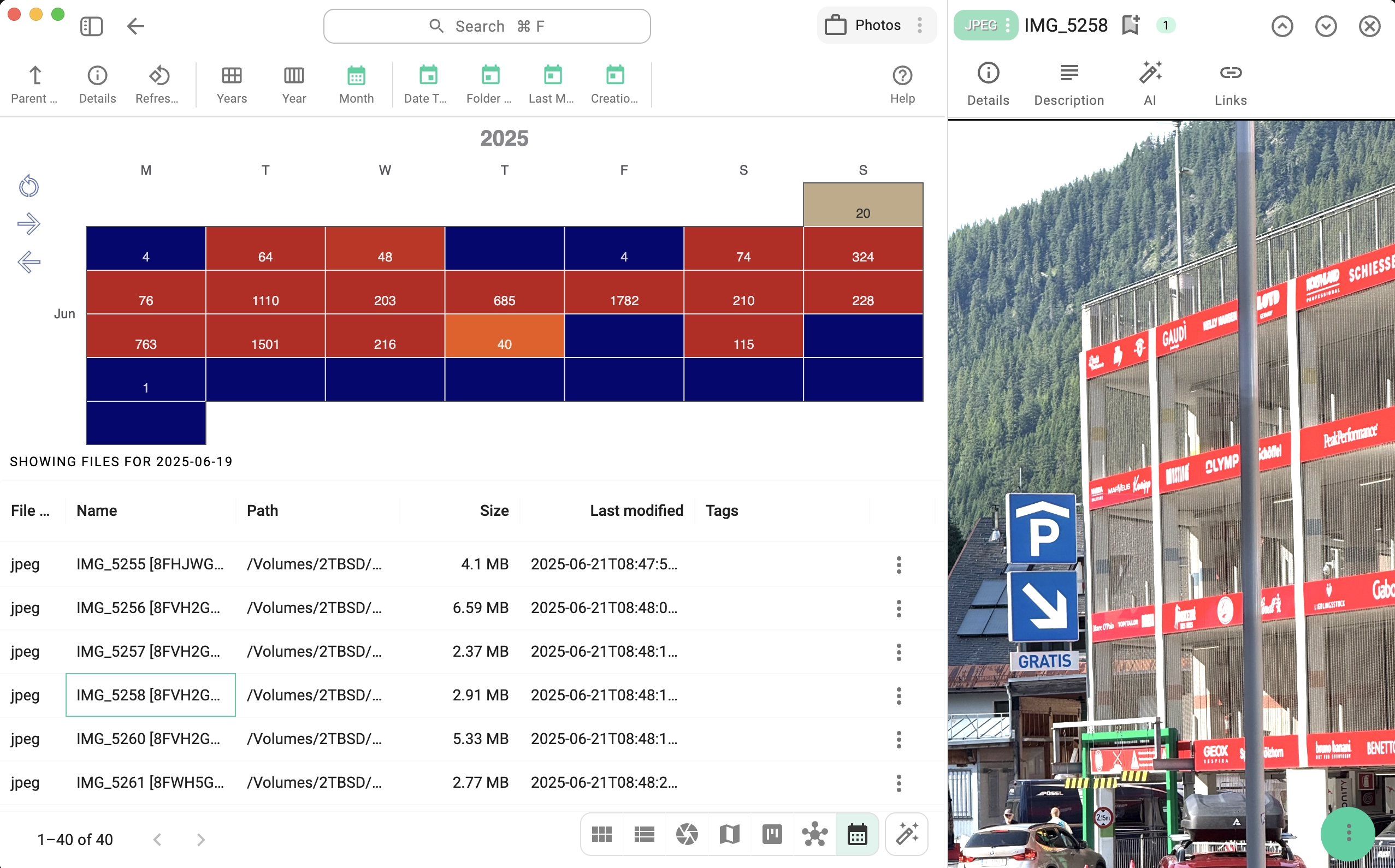
We are thrilled to officially release the Calendar Perspective to all users! While currently in BETA, this feature allows you to visualize your files based on their creation or modification dates. It’s a fantastic way to browse photo collections, track project timelines, or simply see what you worked on during a specific week.
🚀 Performance & Editor Improvements
Under the hood, we have optimized the React and MUI rendering engines. The result? A faster and smoother UI with improved responsiveness throughout the application.
We have also updated our Markdown Editor. With new libraries and usability refinements, writing notes and documentation within TagSpaces is more comfortable than ever.
🖥️ Deeper System Integration
TagSpaces 6.7 feels more native to your operating system than ever before:
- Open from Command Line: On macOS and Windows, you can now launch files directly into TagSpaces via the command line.
- Default File Opener: You can now register TagSpaces as the default application for
.md,.html,.mmd, and.txtfiles, letting you jump straight into your workflow from your file explorer. - Thumbnails for Everyone: Great news for our Lite users—thumbnail generation for all supported file types is now available in the free LITE version, making it easier to browse your images and documents visually.
🤖 AI Chat Enhancements
For those using our AI features, we have polished the chat experience significantly:
- Better Flow: Message order has been reversed for a more natural conversation flow, and scrolling behavior has been improved.
- Export & History: We’ve improved the reliability of exporting chat sessions and added author information to the chat history.
- Usability: The AI chat menu has been refined for easier access and the HTML and MD chat exports were improved significantly.
🛡️ Safety & Search
- Folder/File Description Revisions: We have added revision support for the file and folder descriptions. You can now track changes and revert to previous versions, providing better safety for your documentation.
- Fuzzy Search: You can now use fuzzy search inside tag descriptions. You can also use the tag description to add synonyms for the tags, making it much easier to find the specific tag you are looking for.
🛠️ Polish & Fixes (v6.7.3)
In our latest hotfix (6.7.3), we focused on refining the user experience:
- Notifications: We improved the UX for new version notifications, so you never miss an update.
- Windows Fixes: We fixed an issue where
.tsmeta folders were not automatically hidden on Windows. - General Fixes: We resolved layout shifts in the entry viewer, improved tag group coloring for location tags, and fixed a context menu tagging issue.
📥 Download TagSpaces 6.7
Ready to explore the new themes and the Calendar perspective? You can download the latest version for your platform from the links below.
Try It Today
This release makes TagSpaces more powerful, customizable, and reliable than ever. Whether you’re an everyday user or a Pro subscriber, these updates give you smarter ways to manage and explore your digital world.
👉 Download the latest free/pro version and experience the new features yourself!