TagSpaces 6.12: Free Full-Text Search, and a Modernized Foundation

TagSpaces 6.12: More Free Search, a New Move/Copy Dialog, and a Modernized UI
The 6.12 release continues the direction set in 6.11 — more features moving from Pro into the free Lite edition and a steady modernization of the desktop app. Full-text search on plain text files becomes free, the move/copy dialog has been rewritten from scratch, import/export has a new implementation underneath, and the UI takes a meaningful step forward with a touch-friendly splitter, iOS-style switches, and the upgrade to MUI 9.
Here is what is new.
Full-Text Search on Plain Text Files Is Now Free
Following the move of file/folder descriptions to free in 6.11, full-text search inside plain text files is now part of the free Lite edition. That means .txt, .md, and source code files are searchable by content without a Pro license — including the indexing and reindexing flow that backs it.
If you keep notes in Markdown, drafts in plain text, or code snippets in a folder you tag and browse with TagSpaces, the search bar now reaches inside those files for everyone. We also added tests around the boundary so the free/Pro split stays consistent as the search package keeps evolving.
Pro continues to add full-text search for richer formats — PDF, DOCX, ODT, XLSX, and other office documents.
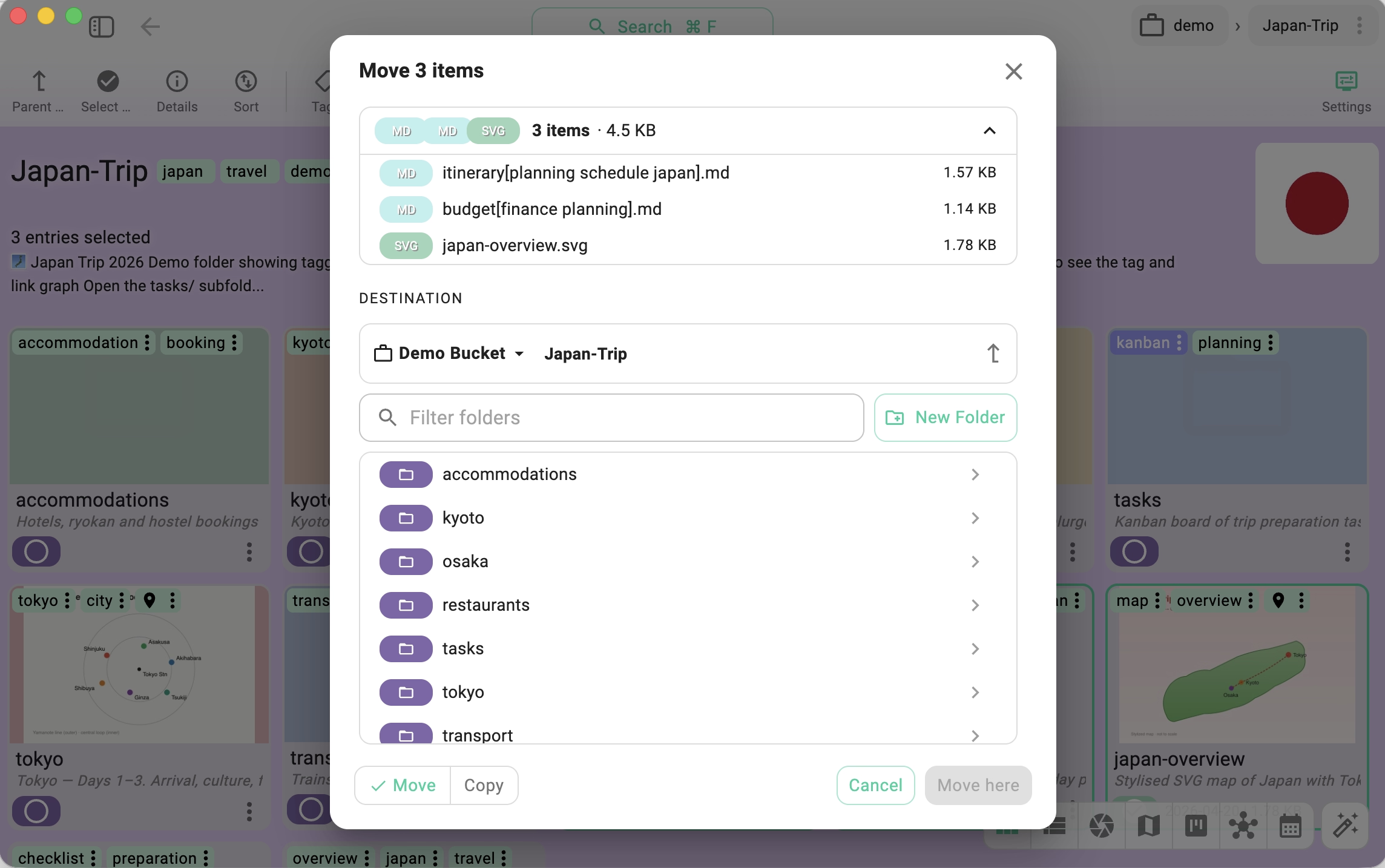
Brand New Move/Copy Dialog with Recent Files
The dialog for moving and copying entries between folders has been rebuilt from scratch. The new version is faster to use because it remembers and surfaces your recent target folders — most move/copy operations go to a small set of frequently used destinations, and the dialog now reflects that.
Combined with the consolidated link-creation flow (more on that below), the result is fewer clicks for the actions you perform dozens of times per session.
Reimplemented Import/Export
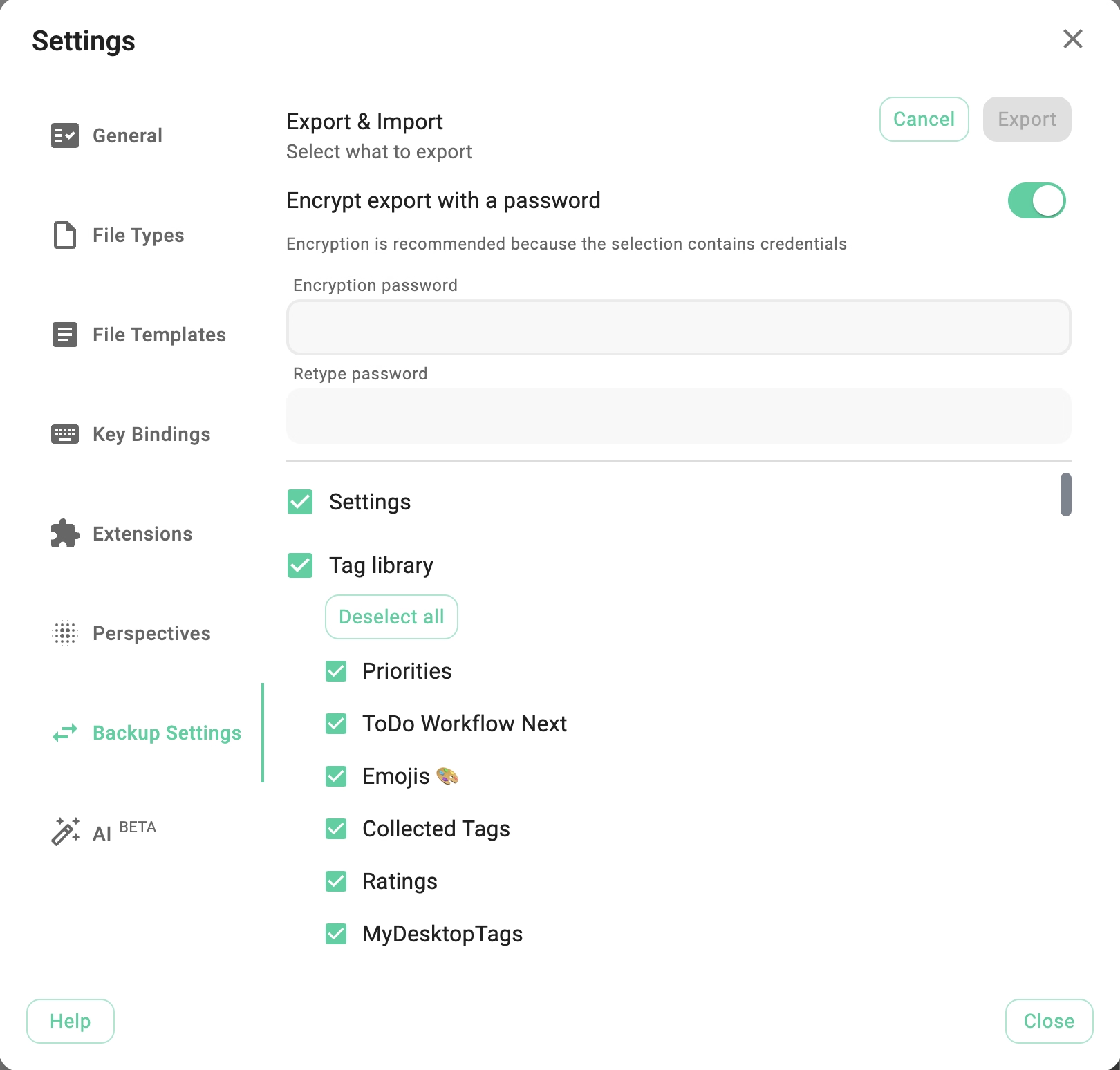
Settings, locations, tag groups, and configuration data can now be exported and re-imported with a completely new implementation under the hood. The previous flow had accumulated edge cases around partial imports, conflicting tag IDs, and S3 credential round-tripping; the rewrite tightens all of that.
This matters if you:
- Move between machines and want to carry your TagSpaces setup with you
- Maintain a team-wide configuration (shared tag groups, location templates) that you distribute to colleagues
- Back up your TagSpaces configuration as part of a broader backup strategy
A new file picker dialog for internal TS Links and relative links
Building links between files and folders — whether ts:// links that follow your vault across machines or ./relative/path.md links that travel with the files — is now a point-and-click action. A new file/folder picker dialog handles the path resolution, so you no longer type targets by hand or copy them out of the address bar.
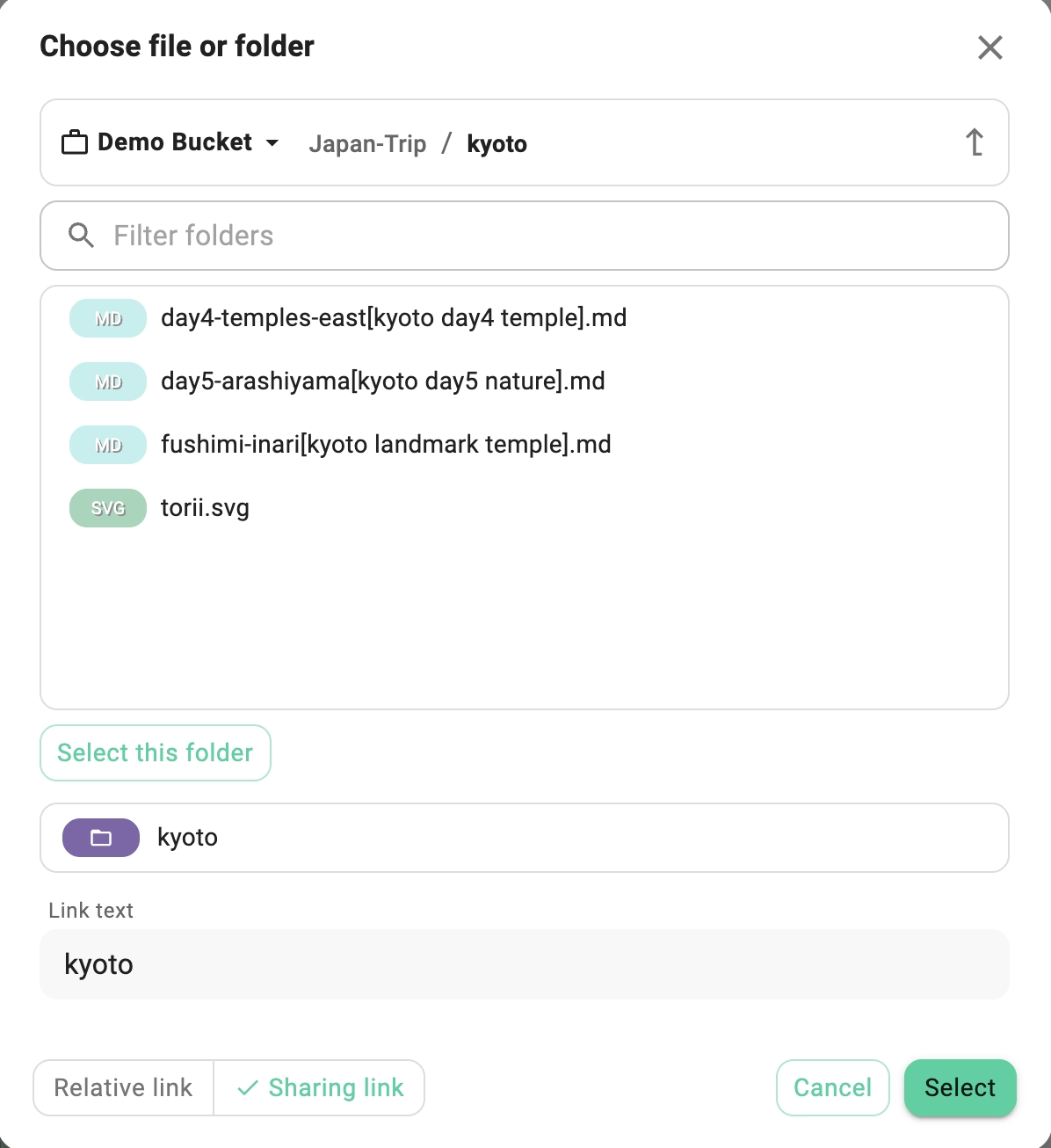
The picker is wired into the places where you most often build a link:
- From the description of any file or folder — open the description editor on any entry, pick a target with the picker, and a
ts://or relative link is inserted at the cursor. This turns a folder's description into a fast way to assemble a small README that points to the files inside it — or to annotate a file with references to related material elsewhere in your vault. - From the md-editor extension — the same picker is available when editing Markdown files, so cross-references between notes can be built without leaving the editor or typing paths by hand.
- From the html-editor extension — the picker fills in
<a href="...">targets the same way when editing HTML files.
The standalone create link dialog uses the same picker as well. As part of the same work, relative-link navigation (./other.md, ../folder/) was corrected so that links built this way resolve consistently across the app.
Symlinks, UNC Paths, and Smarter Remote Locations
Three improvements that make TagSpaces more comfortable in real-world file layouts:
- General support for symlinks — symbolic links across locations are now followed correctly, which is especially useful for Linux users who organize their data with
ln -sand for anyone using junctions on Windows - Improved UNC path support for thumbnails on Windows —
\\server\share\...paths now generate and resolve thumbnails reliably - Offline/online handling for S3 locations — the app now distinguishes between an S3 location that is reachable and one that is not, and adjusts its behavior accordingly
Related: clicking one remote location and then quickly clicking another now switches cleanly to the second one. The previous behavior could leave you looking at stale content from the first click because a slow S3 response arrived after you had already navigated away. The fix cancels the in-flight request at three layers — the network call, the directory loader, and the outer effect that wires it up.
A Touch-Friendly Splitter and iOS-Style Switches
The split between the navigation panel, the file list, and the entry properties panel uses a new splitter component (#2437). It is usable on touch devices — you can drag the splitter with a finger on a touchscreen laptop or tablet — and the cursor styling has been corrected so the resize affordance is unambiguous on desktop.
In parallel, all the on/off switches in the app have been migrated to a new TsSwitch component with an iOS-style appearance. The new look is more consistent across the app and matches the visual language of modern desktop and mobile UIs.
A Simpler Settings Layout
The Advanced settings tab has been merged into the General tab. The previous split between "General" and "Advanced" had become arbitrary — most users ended up flipping between the two looking for something — and merging them produces a single, scannable settings surface. Settings that genuinely belong to extensions, perspectives, or file types remain in their own sections.
Experimental: Encrypted Storage for Sensitive Configuration
Configuration that contains sensitive information — for example S3 access keys — can now be encrypted at rest using the browser-standard Web Crypto API. This is an experimental feature and is opt-in for this release while we collect feedback and stabilize the key-management story, but the foundation is in place.
If you store TagSpaces configuration in a sync-managed folder, this is the start of being able to do so without exposing credentials to anyone who happens to read the file.
Smaller UX Improvements That Add Up
- Configurable default folder color - A small but long-requested feature: folder default color can now be configured from the settings and from the extension config.
- The opened file now scrolls into view in the Grid perspective, so navigating with the keyboard or with next/previous buttons never leaves you scrolling around looking for the highlighted entry
- Correct scrolling after changing pages in pagination — pagination now resets the scroll position predictably
- Improved display of datetime tags — date/time values render in a more readable form throughout the app
- Hardened link opening and consolidated generation of sharing (
ts://) links — one code path for all link types, fewer edge cases - Files opened from the command line now always open in full width, which matches what most users expect when launching from a shortcut
- Reworked file selection in the tagging dialog for a more direct interaction
- Open with sub-menu added to the file context menu — registered external apps are now one hover away
- Improved usability of full-text search and link extraction
- Existing perspectives are now configurable from the settings and from the extension config — defaults like sort order and layout density persist per perspective
Under the Hood
- Upgraded MUI (Material UI) from 7.3.9 to 9.0.1 — a major dependency jump that brings new theming primitives and aligns the codebase with the current MUI generation
- Modern error handling with error boundaries — uncaught errors in a panel no longer take down the whole window; the affected area renders a recoverable fallback instead
- Adjustments for the Android app icons as part of the ongoing mobile work
Fixes
- Fixed file properties incorrectly reloading on rename
- Fixed switching between remote locations — clicking one remote location and immediately clicking another now switches cleanly; slow S3 responses from the first click are properly cancelled at three layers
- Improved support for UNC paths for thumbnails on Windows
How to Update
The new version is available on the downloads page. Pro users should follow the instructions in the update documentation to update their existing installation without losing data.
As always, if you run into anything unexpected, please open an issue on GitHub or reach out via the community forum. Your reports directly shape what gets fixed next.