TagSpaces 6.14 & 6.15: The Stream Perspective, a Redesigned Interface, and React 19

Two Releases, One Theme: Seeing Your Files Differently
The last two releases went in the same direction from opposite ends. 6.14 added a completely new way to look at a folder — the Stream perspective, which lays your files out in chronological order on a 2D and 3D wall. 6.15 then reworked the surfaces you look at every day: a redesigned entry properties panel, a redesigned quick access area, and a long list of search improvements.
Underneath both sits a substantial modernization: the app has migrated to React 19, moved to Electron 45 with JPEG XL support, and shed the separate web service process it no longer needs.
The Stream Perspective
proGrid, List, Gallery, Kanban, Mapique, Calendar and FolderViz all answer the question "what is in this folder?". Stream answers a different one: "what happened, and when?"
It arranges the files and folders of a location in chronological order on a wall — and that wall can be rendered in 2D or in 3D. Scrolling through it feels less like reading a file listing and more like moving along a timeline: photos from a trip, documents from a project, notes from a month of research, all in the order they came into being.
It is particularly at home with folders that accumulate over time — a photo archive, a scanned-document inbox, a journal, a research collection. Where the Calendar perspective puts entries into date buckets, Stream keeps the flow continuous, so you can see the rhythm of a folder rather than just its contents.
Stream is a Pro perspective and can be enabled per folder like all the others, so you can leave a location on Grid by default and switch to Stream for the folders where time is the thing that matters.
A Redesigned Entry Properties Panel
The entry properties component has been redesigned — the panel you open to see and edit a file's tags, description, location, size, and links. It was one of the oldest parts of the current interface and had grown organically over many releases; this is a proper pass over its layout and spacing, with a smoother scrolling effect as you move through the longer sections.
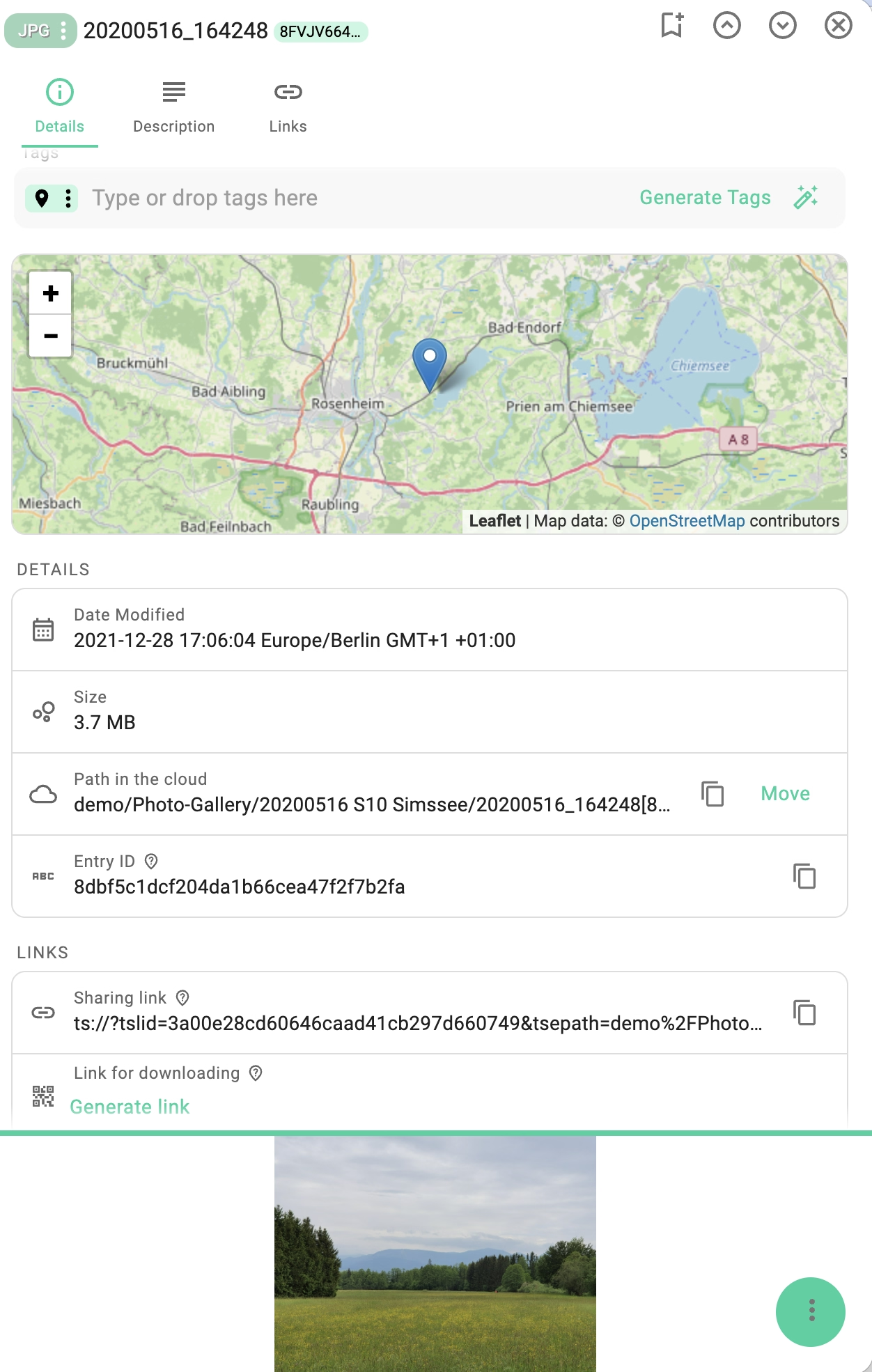
The quick access panel got the same treatment — bookmarks, recently opened and recently edited files now sit in a cleaner, more compact layout.
Alongside both, a soft fading effect was added to many scrollable areas across the app. It is a small detail, but it makes it immediately obvious when a list continues below the fold instead of ending there.
Search, Polished
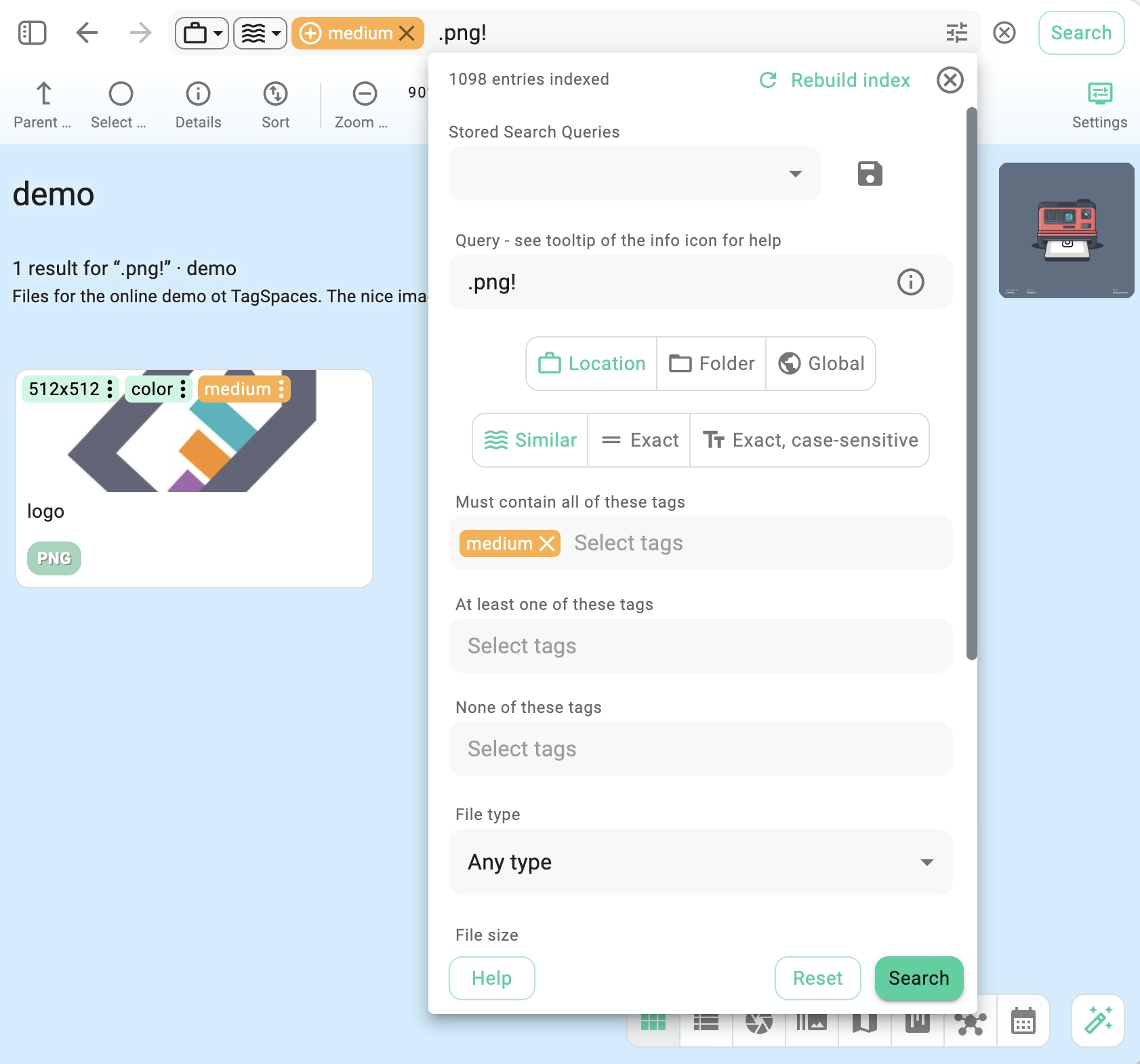
Full-text search became free in 6.12 and was redesigned in 6.11; 6.15 is the release that sands down the edges. A long series of small usability changes went into the search user interface and into the search functionality itself — the kind of changes that are hard to list individually but add up to a noticeably calmer experience when you are iterating on a query.
One concrete fix is worth calling out: searching for a file type no longer returns folders whose names happen to match. If you searched for pdf and got a folder called "PDFs" in your results, that is gone.
Folders First
A small change with a large effect on daily browsing: in the Grid and List perspectives, folders are now listed before files. The one deliberate exception is search results, where ranking by relevance matters more than grouping by type.
The two perspectives also received a round of general design improvements in the same pass.
JPEG XL Support
TagSpaces now handles JPEG XL (.jxl) images. The format arrives through the upgrade to Electron 45.2.1 and a matching extensions release, so JXL files are previewed and thumbnailed like any other image — useful if you are archiving photos in a modern, high-efficiency format and were keeping them outside TagSpaces for lack of support.
The same extensions update brings a newer pdf.js for the PDF viewer and a newer Milkdown for the Markdown editor.
A More Native Feel on macOS
The Electron app on macOS now renders the sidebar with a semi-transparent, native-style effect, so the app sits more naturally among other Mac applications instead of looking like a web page in a window.
Smaller Improvements That Add Up
- The center of the geotagging dialog can now be preset through the
ExtDefaultMapBoundsconfiguration — handy if you always work in the same region and do not want to pan the map there every time - Auto focus on the text fields in the General and File types settings tabs, so you can start typing right away
- An improved legal summary in the about dialog
- The notification system was refactored, making messages more consistent across the app
- pro Scrolling improvements throughout the Pro version
Fixes
- Fixed folders being wrongly matched when searching for file types
- Fixed a crash caused by a MUI tooltip issue
- Fixed an issue with locales such as de_DE in the Stream perspective
- Fixed opening files from the history of edited files
- Fixed the auto-save functionality on mobile devices
Under the Hood
Two releases' worth of modernization, most of which you should never notice — except as fewer bugs and a faster app:
- Migration to React 19, in both the app and the Pro extensions
- Upgraded to Electron 45.2.1, which is also what brings JXL support
- Removed the separate web service process — it is no longer needed by the Electron worker, which means one less local process running while TagSpaces is open
- Refactored the web service integration, reducing its scope, and dropped the usage of the watch-folder endpoint
- Refactored the usage of the Leaflet mapping library
- Replaced three unmaintained dependencies with actively maintained ones: react-hotkey → react-hotkeys-hook, react-infinite-scroller → react-intersection-observer, and react-beautiful-dnd → @hello-pangea/dnd
The dependency swaps matter more than they look. Drag-and-drop, keyboard shortcuts and infinite scrolling are load-bearing parts of TagSpaces, and all three were built on libraries that had stopped receiving updates. Moving them onto maintained successors keeps those features fixable.
How to Update
The new version is available on the downloads page. Pro users should follow the instructions in the update documentation to update an existing installation without losing data.
As always, if you run into anything unexpected, please open an issue on GitHub or reach out via the community forum. Your reports directly shape what gets fixed next.